Full-stack static typing with OpenAPI TypeScript and Microsoft.AspNetCore.OpenApi

I've long believed in the benefits of static typing. Static typing helps you catch errors early, improves code navigation and makes refactoring easier. In recent years I've been using TypeScript on the front end and C# on the back end to get these benefits. I wrote previously about how to do this with NSwag and I thought it was probably worth returning to the topic. How would I do the same thing now?
NSwag is still great, but it produces OpenAPI 3.0 specifications. However, Microsoft have been working on their own OpenAPI tooling for .NET. The Microsoft.AspNetCore.OpenApi package provides functionality to generate OpenAPI specifications from ASP.NET Core Web APIs and it supports OpenAPI 3.1. This difference turns out to be significant when it comes to handling nullability.
There was a change to how nullablity is represented in OpenAPI 3.1 compared to 3.0. Whether that change is the cause or not I'm not sure, but the OpenAPI specifications produced by Microsoft.AspNetCore.OpenApi seem to surface nullability better than I've found with NSwag or Swashbuckle. If something is not defined as nullable in the C# model, it is not marked as nullable in the OpenAPI spec. This means that when we generate TypeScript clients from the OpenAPI spec, we get better nullability support in TypeScript too. Previously I'd find I'd do a lot of null checks or assertions in TypeScript even when the C# model didn't allow nulls. Now, with OpenAPI 3.1 and Microsoft.AspNetCore.OpenApi, I find that much less often.
The client that NSwag generates is also still very useful. But it is somewhat "heavy" in that it creates a lot of code, and it is runtime code, so it adds to my bundle size and my execution time. The alternative I'm going to show you here is to use OpenAPI TypeScript / openapi-ts. This is a lightweight TypeScript client generator for OpenAPI 3.x specifications. Most of the work it does is in the form of TypeScript type definitions. Given that type definitions are erased at runtime, the resulting client code is very lightweight. It also has good support for OpenAPI 3.1.
What will we do?
So in this post we're going to do exactly what I did in my 2021 post, but this time using Microsoft.AspNetCore.OpenApi to generate the OpenAPI spec and openapi-ts to generate the TypeScript client.
We will:
- Create a .NET app which exposes an OpenAPI endpoint with
Microsoft.AspNetCore.OpenApi. - Create a script which, when run, creates a TypeScript client with
openapi-ts. - Consume the API using the generated client in a simple TypeScript application.
If you're going to do this, you will need both Node.js and the .NET SDK installed.
Create an API
We'll now create an API which exposes an Open API endpoint:
dotnet new webapi -o server
The above command creates a new .NET Web API project in a folder called server. Pretty much all the code we care about is in Program.cs:
var builder = WebApplication.CreateBuilder(args);

// Add services to the container.
// Learn more about configuring OpenAPI at https://aka.ms/aspnet/openapi
builder.Services.AddOpenApi();

var app = builder.Build();

// Configure the HTTP request pipeline.
if (app.Environment.IsDevelopment())
{
    app.MapOpenApi();
}

app.UseHttpsRedirection();

var summaries = new[]
{
    "Freezing", "Bracing", "Chilly", "Cool", "Mild", "Warm", "Balmy", "Hot", "Sweltering", "Scorching"
};

app.MapGet("/weatherforecast", () =>
{
    var forecast =  Enumerable.Range(1, 5).Select(index =>
        new WeatherForecast
        (
            DateOnly.FromDateTime(DateTime.Now.AddDays(index)),
            Random.Shared.Next(-20, 55),
            summaries[Random.Shared.Next(summaries.Length)]
        ))
        .ToArray();
    return forecast;
})
.WithName("GetWeatherForecast");

app.Run();

record WeatherForecast(DateOnly Date, int TemperatureC, string? Summary)
{
    public int TemperatureF => 32 + (int)(TemperatureC / 0.5556);
}
This is simply exposing a single endpoint, /weatherforecast which returns some (fake) weather data. If we run our API with:
dotnet run --urls="http://localhost:5000"
We can then navigate to http://localhost:5000/weatherforecast and see the JSON output:
[
  {
    "date": "2025-12-30",
    "temperatureC": 11,
    "summary": "Sweltering",
    "temperatureF": 51
  },
  {
    "date": "2025-12-31",
    "temperatureC": 4,
    "summary": "Cool",
    "temperatureF": 39
  },
  {
    "date": "2026-01-01",
    "temperatureC": -19,
    "summary": "Cool",
    "temperatureF": -2
  },
  {
    "date": "2026-01-02",
    "temperatureC": -8,
    "summary": "Warm",
    "temperatureF": 18
  },
  {
    "date": "2026-01-03",
    "temperatureC": -16,
    "summary": "Sweltering",
    "temperatureF": 4
  }
]
And we can see the OpenAPI endpoint at http://localhost:5000/openapi/v1.json:
{
  "openapi": "3.1.1",
  "info": {
    "title": "server | v1",
    "version": "1.0.0"
  },
  "servers": [
    {
      "url": "http://localhost:5000/"
    }
  ],
  "paths": {
    "/weatherforecast": {
      "get": {
        "tags": ["server"],
        "operationId": "GetWeatherForecast",
        "responses": {
          "200": {
            "description": "OK",
            "content": {
              "application/json": {
                "schema": {
                  "type": "array",
                  "items": {
                    "$ref": "#/components/schemas/WeatherForecast"
                  }
                }
              }
            }
          }
        }
      }
    }
  },
  "components": {
    "schemas": {
      "WeatherForecast": {
        "required": ["date", "temperatureC", "summary"],
        "type": "object",
        "properties": {
          "date": {
            "type": "string",
            "format": "date"
          },
          "temperatureC": {
            "pattern": "^-?(?:0|[1-9]\\d*)$",
            "type": ["integer", "string"],
            "format": "int32"
          },
          "summary": {
            "type": ["null", "string"]
          },
          "temperatureF": {
            "pattern": "^-?(?:0|[1-9]\\d*)$",
            "type": ["integer", "string"],
            "format": "int32"
          }
        }
      }
    }
  },
  "tags": [
    {
      "name": "server"
    }
  ]
}
This is great! (Actually, there's some problems with the temperatureC and temperatureF properties being marked as both integer and string but we'll ignore that for now.)
Create our client
We'll now create a web app with which to consume our API:
npm create vite@latest client -- --template react-ts
This creates a React + TypeScript app in a folder called client. We'll now follow the openapi-ts setup instructions to add openapi-ts to our project:
cd client
npm i -D openapi-typescript typescript
And we'll update the tsconfig.app.json to include the recommended settings:
{
  "compilerOptions": {
    "noUncheckedIndexedAccess": true
  }
}
To make local development easier, we'll also add a proxy to our vite.config.ts so that API request is proxied to our .NET API:
import { defineConfig } from 'vite';
import react from '@vitejs/plugin-react';

// https://vite.dev/config/
export default defineConfig({
  plugins: [react()],

  server: {
    proxy: {
      '/weatherforecast': {
        target: 'http://127.0.0.1:5000',
        changeOrigin: true,
        autoRewrite: true,
      },
    },
  },
});
Now we no longer need to deal with CORS during development, and our local development setup more closely resembles production. Incidentally, we could put all our API requests behind the proxy if we wanted to by using a standard prefix like /api, but for this demo we'll just proxy the one endpoint.
We have a front end app ready to consume our API. But we need to generate an OpenAPI client first.
Generate our OpenAPI client
We'll add an npm script to our package.json in the client folder to generate our OpenAPI client using openapi-ts:
  "scripts": {
    // ... other scripts ...
    "generate-client": "openapi-typescript http://localhost:5000/openapi/v1.json --output src/GeneratedClient.ts --root-types --root-types-no-schema-prefix"
  }
This, when run, will generate a TypeScript client in src/GeneratedClient.ts based on the OpenAPI spec exposed by our .NET API. It will also include the "root types" so we can import them in our code easily. To generate the client, we need to ensure our API is running. So we'll jump back up to the root of our .NET / React project and we'll add a package.json. We'll add the following two dependencies:
npm install --save-dev start-server-and-test concurrently
Then we'll add scripts to handle running client and server together, and to generate the client:
{
  "name": "openapi-ts-test",
  "version": "1.0.0",
  "license": "ISC",
  "scripts": {
    "start": "concurrently -n \"FE,BE\" -c \"bgBlue.bold,bgMagenta.bold\" \"npm run dev:client\" \"npm run dev:server\"",
    "dev:client": "cd client && npm run dev",
    "dev:server": "cd server && dotnet run --urls=\"http://localhost:5000\"",
    "generate-client": "start-server-and-test dev:server http-get://localhost:5000/openapi/v1.json generate-client:make",
    "generate-client:make": "cd client && npm run generate-client"
  },
  "devDependencies": {
    "concurrently": "^9.2.1",
    "start-server-and-test": "^2.1.3"
  }
}
Running npm run generate-client in the root of our project will now:
- Start the server API on
http://localhost:5000 - Wait for the OpenAPI endpoint to be available using
start-server-and-test - Run the
generate-clientscript in theclientfolder to generate the TypeScript client.
Here's what our generated client looks like:
/**
 * This file was auto-generated by openapi-typescript.
 * Do not make direct changes to the file.
 */

export interface paths {
  '/weatherforecast': {
    parameters: {
      query?: never;
      header?: never;
      path?: never;
      cookie?: never;
    };
    get: operations['GetWeatherForecast'];
    put?: never;
    post?: never;
    delete?: never;
    options?: never;
    head?: never;
    patch?: never;
    trace?: never;
  };
}
export type webhooks = Record<string, never>;
export interface components {
  schemas: {
    WeatherForecast: {
      /** Format: date */
      date: string;
      /** Format: int32 */
      temperatureC: number | string;
      summary: null | string;
      /** Format: int32 */
      temperatureF?: number | string;
    };
  };
  responses: never;
  parameters: never;
  requestBodies: never;
  headers: never;
  pathItems: never;
}
export type WeatherForecast = components['schemas']['WeatherForecast'];
export type $defs = Record<string, never>;
export interface operations {
  GetWeatherForecast: {
    parameters: {
      query?: never;
      header?: never;
      path?: never;
      cookie?: never;
    };
    requestBody?: never;
    responses: {
      /** @description OK */
      200: {
        headers: {
          [name: string]: unknown;
        };
        content: {
          'application/json': components['schemas']['WeatherForecast'][];
        };
      };
    };
  };
}
You can see our /weatherforecast endpoint is represented in the paths section and the WeatherForecast model is represented in the components.schemas section.
Adjusting Microsoft.AspNetCore.OpenApi surfaced types
I mentioned earlier that the temperatureC and temperatureF properties were marked as both integer and string in the OpenAPI spec. This is because Microsoft.AspNetCore.OpenApi is being ... interesting ... about number types. If we look at the types created in our client we see:
    WeatherForecast: {
      /** Format: date */
      date: string;
      /** Format: int32 */
      temperatureC: number | string;
      summary: null | string;
      /** Format: int32 */
      temperatureF?: number | string;
    };
Note how temperatureC and temperatureF are both number | string. This isn't what we're after; we want them to be just number to reflect the C# int model. To fix this, we can create 2 IOpenApiSchemaTransformer implementations to fix up the number | string types to just number types. One to handle integer style numbers (IntegerSchemaTransformer) and one to handle numbers with decimal places (NumberSchemaTransformer).
using Microsoft.AspNetCore.OpenApi;
using Microsoft.OpenApi;

namespace Server.OpenApi;

/// <summary>
/// Transforms OpenAPI schema for integer types to ensure they are represented
/// with proper type and format, removing unwanted pattern and string type alternatives.
/// This affects integer types like int, long, short, etc.
/// </summary>
public sealed class IntegerSchemaTransformer : IOpenApiSchemaTransformer
{
    public Task TransformAsync(
        OpenApiSchema schema,
        OpenApiSchemaTransformerContext context,
        CancellationToken cancellationToken)
    {
        var type = context.JsonTypeInfo.Type;

        // Handle nullable integers
        var actualType = Nullable.GetUnderlyingType(type) ?? type;

        // Check if this is an integer type
        if (actualType == typeof(int) ||
            actualType == typeof(long) ||
            actualType == typeof(short) ||
            actualType == typeof(byte) ||
            actualType == typeof(sbyte) ||
            actualType == typeof(uint) ||
            actualType == typeof(ulong) ||
            actualType == typeof(ushort))
        {
            // Set type to integer only (not ["integer", "string"])
            schema.Type = JsonSchemaType.Integer;

            // Clear any pattern that might have been added
            schema.Pattern = null;

            // Set appropriate format based on the actual type
            schema.Format = actualType switch
            {
                // based on https://spec.openapis.org/oas/v3.1.1.html#data-types
                Type t when t == typeof(int) => "int32",
                Type t when t == typeof(uint) => "int32",
                Type t when t == typeof(long) => "int64",
                Type t when t == typeof(ulong) => "int64",
                Type t when t == typeof(short) => "int32",
                Type t when t == typeof(ushort) => "int32",
                Type t when t == typeof(byte) => "int32",
                Type t when t == typeof(sbyte) => "int32",
                _ => "int32"
            };

            // Clear any enum values that might have been set
            schema.Enum?.Clear();
        }

        return Task.CompletedTask;
    }
}

/// <summary>
/// Transforms OpenAPI schema for number types to ensure they are represented
/// with proper type and format, removing unwanted pattern and string type alternatives.
/// This affects floating-point types like double, float, and decimal.
/// </summary>
public sealed class NumberSchemaTransformer : IOpenApiSchemaTransformer
{
    public Task TransformAsync(
        OpenApiSchema schema,
        OpenApiSchemaTransformerContext context,
        CancellationToken cancellationToken)
    {
        var type = context.JsonTypeInfo.Type;

        // Handle nullable numbers
        var actualType = Nullable.GetUnderlyingType(type) ?? type;

        // Check if this is an integer type
        if (actualType == typeof(double) ||
            actualType == typeof(decimal) ||
            actualType == typeof(float))
        {
            // Set type to integer only (not ["number", "string"])
            schema.Type = JsonSchemaType.Number;

            // Clear any pattern that might have been added
            schema.Pattern = null;

            // Set appropriate format based on the actual type
            schema.Format = actualType switch
            {
                // based on https://spec.openapis.org/oas/v3.1.1.html#data-types
                Type t when t == typeof(double) => "double",
                Type t when t == typeof(decimal) => "double",
                Type t when t == typeof(float) => "float",
                _ => "double"
            };

            // Clear any enum values that might have been set
            schema.Enum?.Clear();
        }

        return Task.CompletedTask;
    }
}
And the Program.cs is updated to register these transformers:
builder.Services.AddOpenApi(options =>
{
    options.AddSchemaTransformer<Server.OpenApi.IntegerSchemaTransformer>();
    options.AddSchemaTransformer<Server.OpenApi.NumberSchemaTransformer>();
});
With this in place, when we next run npm run generate-client from the root of our project, we find that our generated client now has the correct types for temperatureC and temperatureF:
    WeatherForecast: {
      /** Format: date */
      date: string;
      /** Format: int32 */
      temperatureC: number;
      summary: null | string;
      /** Format: int32 */
      temperatureF?: number;
    };
I've inquired whether the default behaviour makes the most sense here.
Consume our generated API client
Now we want to make use of our generated client in our React app. First we're going to install openapi-fetch to help with making requests:
npm i openapi-fetch
(A quick note, openapi-fetch is not strictly necessary here, but it makes things easier. It provides a fetch-based HTTP client which works well with openapi-ts generated clients. It's worth saying that there are plans to deprecate openapi-fetch which you can read about here. As of right now though, it's still a useful library to use alongside openapi-ts.)
Now let's start our client and server with npm run start. We'll then replace the contents of App.tsx with:
import { useEffect, useState } from 'react';
import './App.css';
import createClient from 'openapi-fetch';
import type { paths, WeatherForecast } from './GeneratedClient'; // generated by openapi-typescript

const client = createClient<paths>();

function App() {
  const [weather, setWeather] = useState<WeatherForecast[] | null>();
  useEffect(() => {
    async function loadWeather() {
      const { data, error } = await client.GET('/weatherforecast');
      if (data) {
        setWeather(data);
      } else if (error) {
        console.error('Failed to load weather:', error);
      }
    }
    loadWeather();
  }, [setWeather]);

  return (
    <div className="App">
      <header className="App-header">
        {weather ? (
          <table>
            <thead>
              <tr>
                <th>Date</th>
                <th>Summary</th>
                <th>Centigrade</th>
                <th>Fahrenheit</th>
              </tr>
            </thead>
            <tbody>
              {weather.map(({ date, summary, temperatureC, temperatureF }) => (
                <tr key={date}>
                  <td>{new Date(date).toLocaleDateString()}</td>
                  <td>{summary}</td>
                  <td>{temperatureC}</td>
                  <td>{temperatureF}</td>
                </tr>
              ))}
            </tbody>
          </table>
        ) : (
          <p>Loading weather...</p>
        )}
      </header>
    </div>
  );
}

export default App;
Let's break down what's happening here:
- We import the generated types from
GeneratedClient.ts - We create an
openapi-fetchclient using those types. - In a
useEffecthook, we call the/weatherforecastendpoint using the generated client.
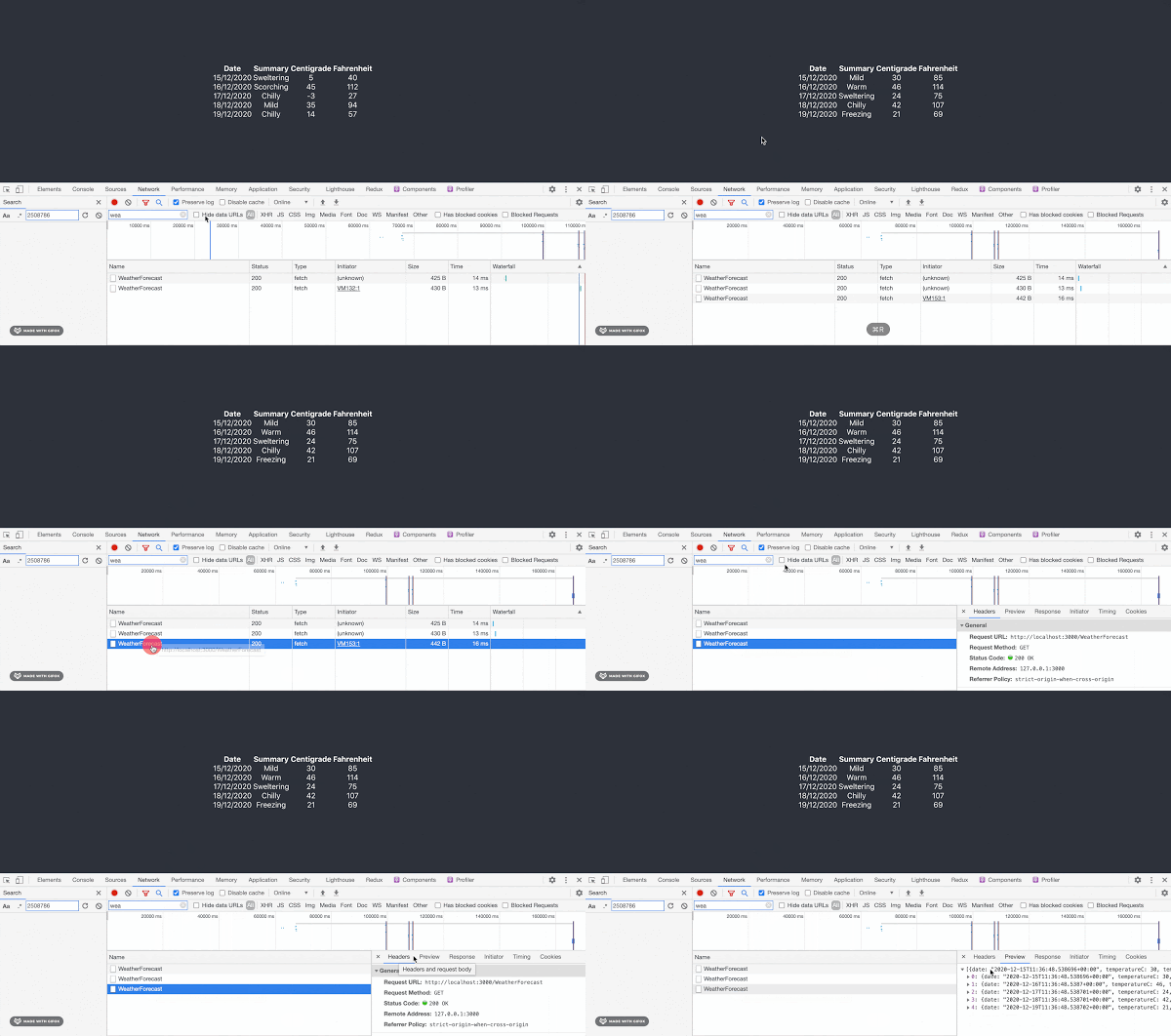
From a users perspective, when we run the app we see: (I've reused the GIF from my previous post here as the experience is the same.)
Summary
In this post we've seen how to create a .NET Web API which exposes an OpenAPI endpoint using Microsoft.AspNetCore.OpenApi. We've then seen how to generate a TypeScript client from that OpenAPI spec using openapi-ts. Finally, we've seen how to consume that generated client in a React + TypeScript application.
What's significant here is that we have static typing all the way from back end to front end. The C# models we defined in our .NET API are represented in the OpenAPI spec, and those same models are represented in TypeScript types in our front end application. This means that if we change a model on the back end, we can regenerate the TypeScript client and get type safety on the front end too. I'm using C#, but you could be using something else entirely on the back end, as long as it can produce an OpenAPI spec.
There was a little adjustment needed to get the number types working correctly, but overall this was a pretty straightforward process. If you're building full stack applications with TypeScript on the front end and .NET on the back end, I recommend giving this approach a try!